T-embed To Do

While Joshua has been busy vibe-coding his own to-do app, I've been making my own brand of mischief over in hardware land.

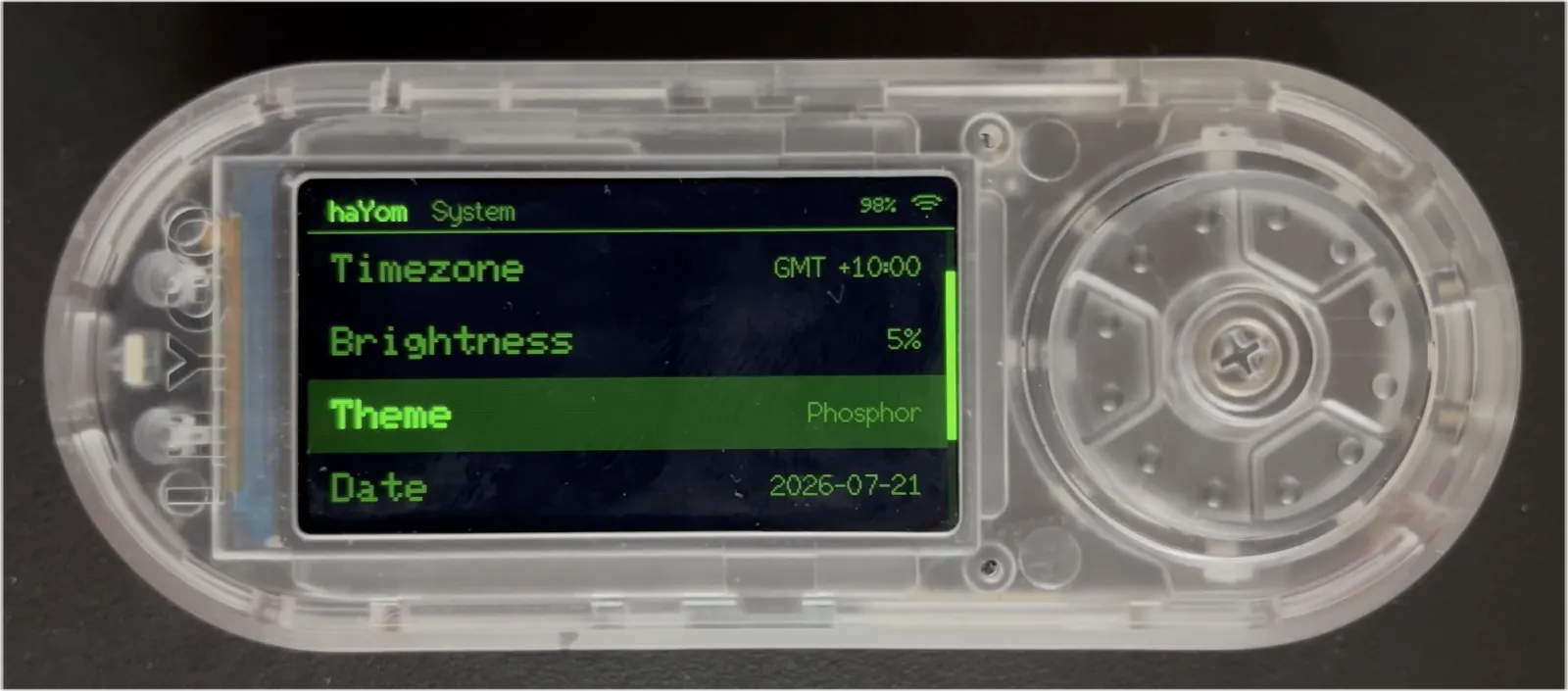
To-do apps are a right of passage for any programmer. But I'm feeling jaded and old. I don't want yet another slice of software asking me to pick up my phone. So instead, I decided to build some custom firmware for the LilyGO T-embed.

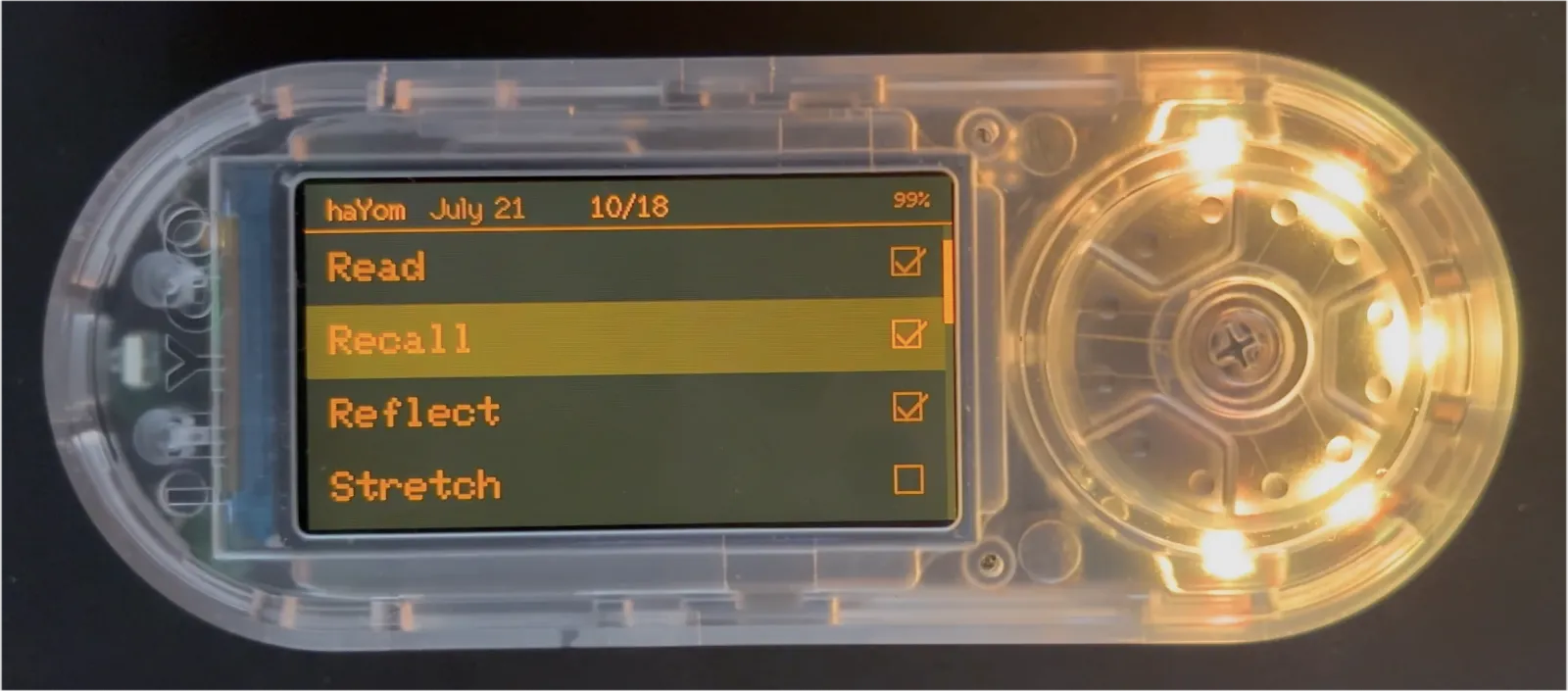
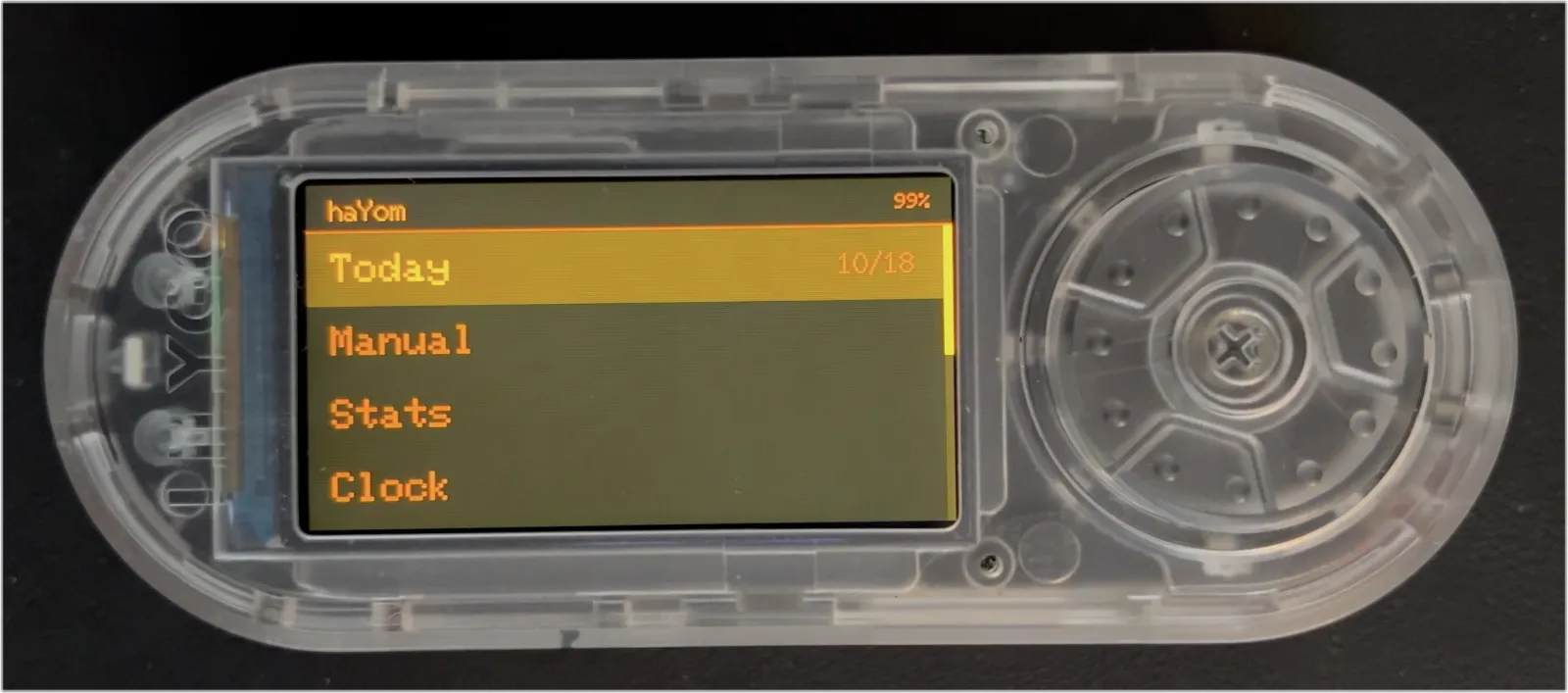
Custom daily to-do list firmware running on a LilyGO T-Embed.

The main menu.

My spin on the classic checklist is a preference for habit tracking. Daily tasks, that convert to a measurable productivity count for each day.

Custom daily to-do list firmware running on a LilyGO T-Embed.

Checking off daily tasks.

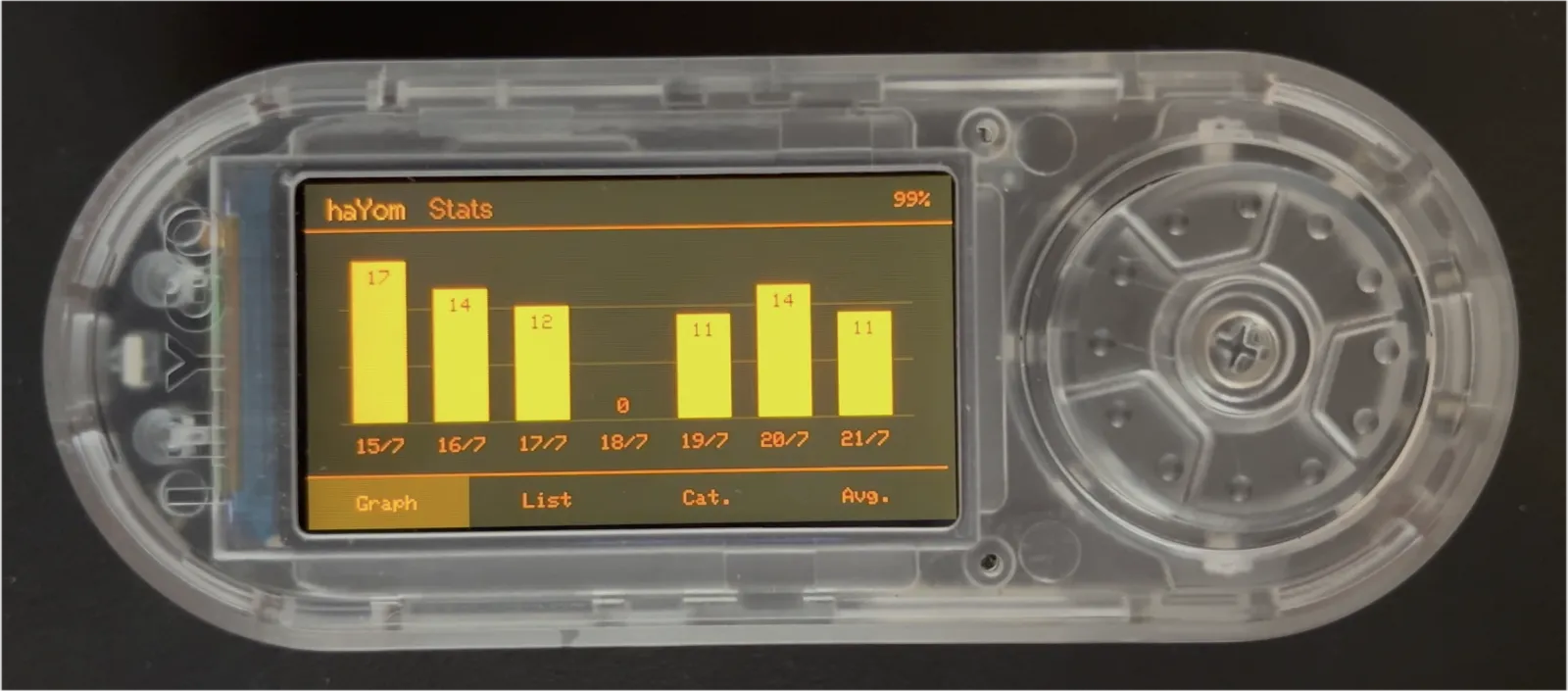
The cool thing about that approach is that I can track my achievement over time. It's not all about productivity, either. Some of my daily tasks are health related, others intentionally unproductive.

Custom daily to-do list firmware running on a LilyGO T-Embed.

Scrolling through a graph of daily achievements.

"Intentionally" is the keyword here. Over time, I've developed a list of 18 things I'd really like to make sure I get done every day. I'm intentional about my cognitive engagement, physical exercise, healthy eating, and spritual practice.

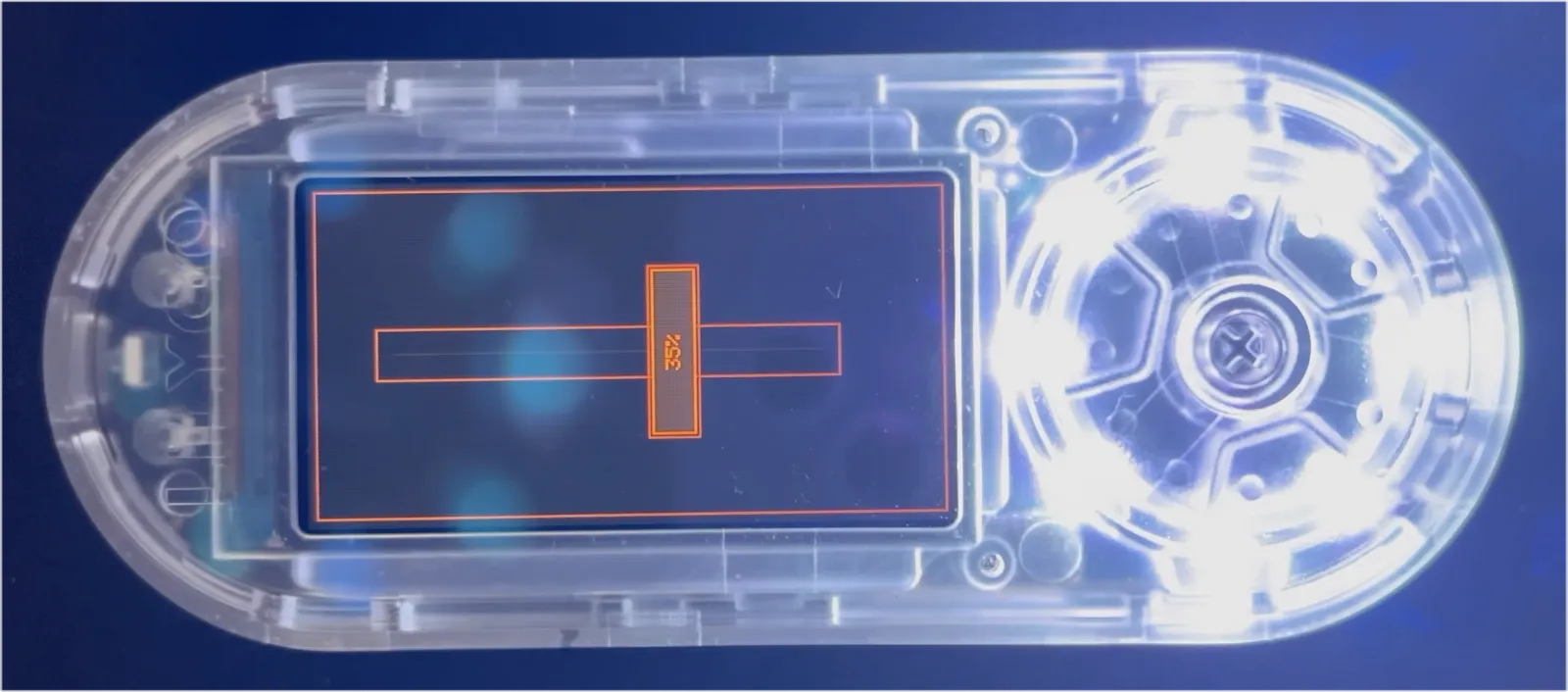
Beyond the scrollwheel and screen, the T-embed has a few other neat tricks up its sleeve. I'm programmed it to also function as a torch and universal TV remote.

Custom daily to-do list firmware running on a LilyGO T-Embed.

The firmware includes a Torch and universal TV Remote.

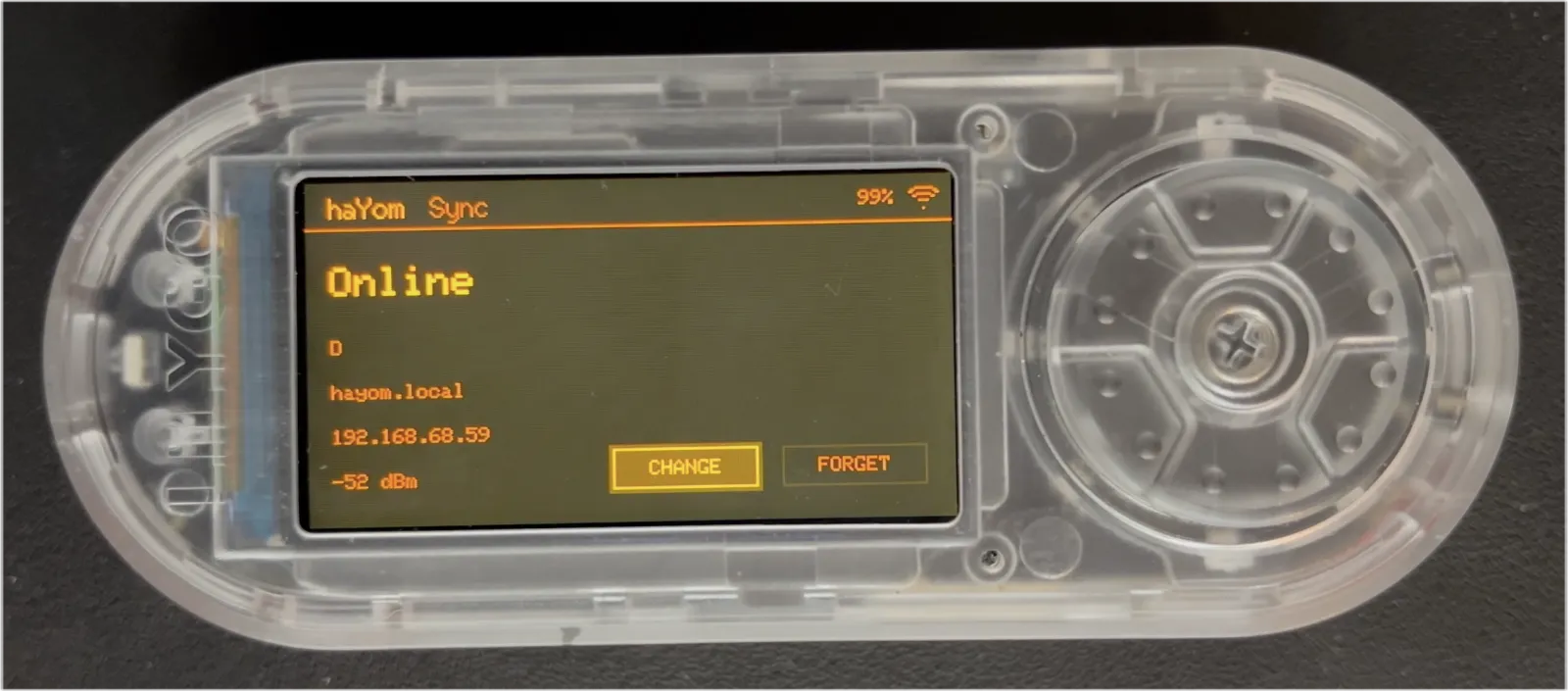
All the data is saved into a json file which I can sync, so I've got a backup of my days, and can transfer to a different hardware platform, or even to some iOS software if I want to in the future.

Custom daily to-do list firmware running on a LilyGO T-Embed.

Connecting to a wifi network to sync saved data.

The best part is that it's all just for me. No monetisation strategy, no marketing, no customers, no stress. For the first time in a long time, I'm programming for me, not money.

Custom daily to-do list firmware running on a LilyGO T-Embed.

Built-in colour themes, just for fun.

Useful

I realize that some people really dislike AI, but this is an area where I'm willing to absolutely put my foot down as the top-level maintainer.

Linux is not one of those anti-AI projects, and if somebody has issues with that, they can do the open-source thing and fork it.

Or just walk away.

AI is a tool, just like other tools we use. And it's clearly a useful one.

It may not have been that "clearly" even just a year ago, but it's no longer in question today.

There are other questions around AI (like what the economy of it will actually look like in the end), but "is it useful" is no longer one of those questions. Anybody who doubts that clearly hasn't actually used it.

Linus Torvalds, Re: Linking Patchwork with Sashiko?

Is AI useful? Yes, absolutely.

Is it fulfilling? Is it creative?1 Is it making our world a better place?

No. Absolutely not.

Productivity should not be the only way we measure value.

The kernel project has been and will continue to be about the technology.

Sure, the social angle of working on open source is important and
often a very motivating part of the project, but in the end that's a
side benefit, not the point of the project.

This is NOT some kind of "social warrior" project, never has been,
and never will be.

In the kernel community we do open source because it results in better
technology, not because of religious reasons.

Linus Torvalds, Re: Linking Patchwork with Sashiko?

Are we not already slaves to the machine?

The Perfect iPhone

Hey, Turnis.

Not sure if you noticed, but the iPhone mini is having a moment.

In January, search traffic for the term "iPhone mini" peaked1 – six times more search traffic than when the iPhone 13 Mini was released.

The traffic continued throughout the year, dwarfing interest in "iPhone Air".2

When the iPhone 17 was released, Luke Guillory's review for Esquire started by noting his devotion to the iPhone 12 Mini. "…as I love to tell people, I'm an iPhone Mini devotee. It's been half a decade since I last bought a phone, because I love my Mini."3

Commenting on the iPhone Air release for the Financial Times, Sarah O'Conner bemoaned the fact that there are no suitably sized iPhones to replace her (now discontinued) iPhone 13 Mini. "I don’t want a thinner phone. I want a smaller one." 4

In May, The Verge called the iPhone 13 Mini "the best phone ever made".5

I've been using the iPhone 13 Mini for a month now, replacing my iPhone 15 Pro. I'm a convert. It really is the best phone ever made.

But it could be even better.

There are only two changes I'd love to see in the next iPhone Mini:

  1. USB-C
  2. An Action button

Sure, a ProMotion display would be nice to have. And it would be fun to mess around with the full range of capabilities from Apple Intelligence. Who wouldn't love a better battery (just not at the cost of weight)?

But mostly, I want my iPhone to get out of the way. Disappear into my pocket, or even better, into my backpack, and only surface on the rare occasion it's truly needed.

.txt

The killer use case for personal computers is text editing.

Typesetting, typewriting, handwriting – these produce text, but they can't edit.

Sure, computers can do a lot of things. Games, maths, file management. But the magic lies in .txt files. Plain text – the Platonic ideal of a file, a foundational discovery that justifies the utility of a home computer.

The internet was built by plain text. HTML that you can inspect, copy, paste, steal, and – let's not forget – edit. Uncompiled, uncompressed, unadulterated. Then we introduced build processes and minification, and the magic was lost.

When I was sixteen (back in those olden days of digital sorcery) I was an active member of hacking and phreaking forums. These communities understood the magic of .txt files. We would create and distribute them like currency, each one an idealistic representation of this nacent technology, each one capable of unearthing transcendant secrets. They were dangerous.

There was a format to these .txt files – often called "textfiles". They expected a monospace font, the default setting for plain text editors like Notepad and Text Edit, with a 72 character line wrap. They often started with ASCII art – a graffiti tag byline created with letters, numbers, and special characters – an artform enabled by the unassuming .txt file (and which inspired the DfF logo). The language was simple, instructional, with a smattering of teenage angst, and a sarcastic petition to only use the knowledge for good, not evil.

Here's one I made in 2002: regedit.txt. There's also a fantastic collection over at textfiles.com.

Plain text powers the world. It's JSON, YAML, XML, SVG, CSV. It's one step removed from every computer program written since assembly.

Plain text evolved a sensible, functional mutation with the invention of the .md file (I had the opportunity to interview John Gruber, the creator of Markdown, on Crossword). Formatting conventions were adopted, and the plain text file was suddenly capable of headings, bold, italics, and links. It was so obvious! The Markdown standard was quickly adopted, and became supported almost everywhere. It even powers this blog.

So, here's to the humble plain text file! You remind us that magic is often hidden within the mundane.
Rebound

GenAI is not a bubble ready to burst.

It's an elastic band, pulled taught.

Stretched by frontier AI companies pushing a doom and disruption narrative.

Pulled by spammers and scammers and ex-crypto-grifters, polluting with web with truckloads of slop.

Ratcheted further by a tech industry pouring AI sauce all over their products, blind to their customer's distaste.

But normal people don't like AI. Regular folks don't want data centres. They're not buying the hype.

Get ready for a rebound.

Fun Sucker

I love teaching. I love code. And guess what…

I love teaching code.

That is why I joined the WordPress Plugin Review team. Because, although we get our fair share of know-it-all plugin authors, and no small number of submissions from developers better than me, I often found myself in a position where I could teach, coach, or mentor.

Gently, carefully, so as to not be obtuse or belittling. Helping plugin developers to not only improve their plugin's code, but also their coding ability.

Those were the days.

I remember them fondly. Little notes, hand-typed, below the default templated output. "Note from reviewer:", I'd write, "consider using the WP API to create a custom endpoint here", with a link to the documentation.

Back in those days, I'd actually read the plugin code. I'd look through, file by file, to see how it all connects. I'd form an interconnected mental web of the plugin structure. Follow trails, tracking down potential vulnerabilities, peering into Classes and Interfaces to discover unused variables or orphaned functions.

It was detective work. Gritty. Messy. Neo-noir.

And yes, maybe I'm romanticising a little. We tend to do that about the past, don't we? But there was beauty there. Poetry. And everyday I could close my laptop, take one last sip of now-cold coffee, and feel proud about helping make the web a better place.

Now look at me. Resentful, jaded, stuck-in-the-mud. I'm more bitter than those coffee dregs.

Or am I? I keep being told that resistance to change is futile. That I can't bury my head in the sand. That I'll be left behind. But maybe not. Maybe I'm standing up for what I believe in. Standing for focus, and skill, and poetry.

The world doesn't have to shift beneath our feet based on Silicon Valley prophesy. We don't have to accept the crystal balling from techno-grifters and ex-crypto-bros. We have agency. We can push for change, express concern, and disengage with the platforms that aren't listening.

Is it progress if a cannibal uses a knife and fork?
— Stanisław Jerzy Lec

What are your AI Preferences?

Every Friday night we invite guests for Shabbat dinner. Whenever I pass on the details to an invitee, I'm careful to always ask: Do you have any dietary requirements?

We cater for all sorts in our house, because all sorts are welcome. Gluten free, dairy free, nut free, egg free, vegan, tone down the spice, we've catered it all. We don't ask why a guest has their particular requirements. Maybe it's health related, maybe ethical, maybe just distaste. It doesn't make a difference.

We should apply the same "dietary requirements" lens in product design, when it comes to the inclusion of AI features.

Please, let me turn AI off! You don't need to know why. Maybe it's mental health related, maybe ethical, maybe just distaste. It doesn't make a difference.

If you work in product design, or are software ajacent in any capacity, chances are you're living in an AI bubble. The rest of the world doesn't really like AI as much as you might think it does. Look at this poll which shows that Gen Z believes the AI risks outweight the benefits. Or this poll which rates AI's popularity as 26% positive, 46% negative. Or this poll where 80% of participants express concern about AI, and 62% of participants are simply not interested in the subject.

If you care about your users, you'll ask them the question: What are your AI preferences?

What are your AI preferences? Are you a cAIrnivore – the more AI the better (you simply can't comprehend how people prefer to go without)? Maybe you're Gen Free, happy for AI to understand and classify, but not generate images or text. You might be Tool Intolerant, happy for a service to use it's own internal AI, but not share it with external tools or data stores. Or perhaps you're an AI Vegan, and want it turned off entirely.

My apologies for stretching the analogy to it's breaking point. I'm sure you get the idea: Give your users some control about how and when they encounter AI. It's just polite.

Oh, by the way, if you happen to be in the area, reach out. We'd love to invite you for Shabbat dinner.

Writer Deck

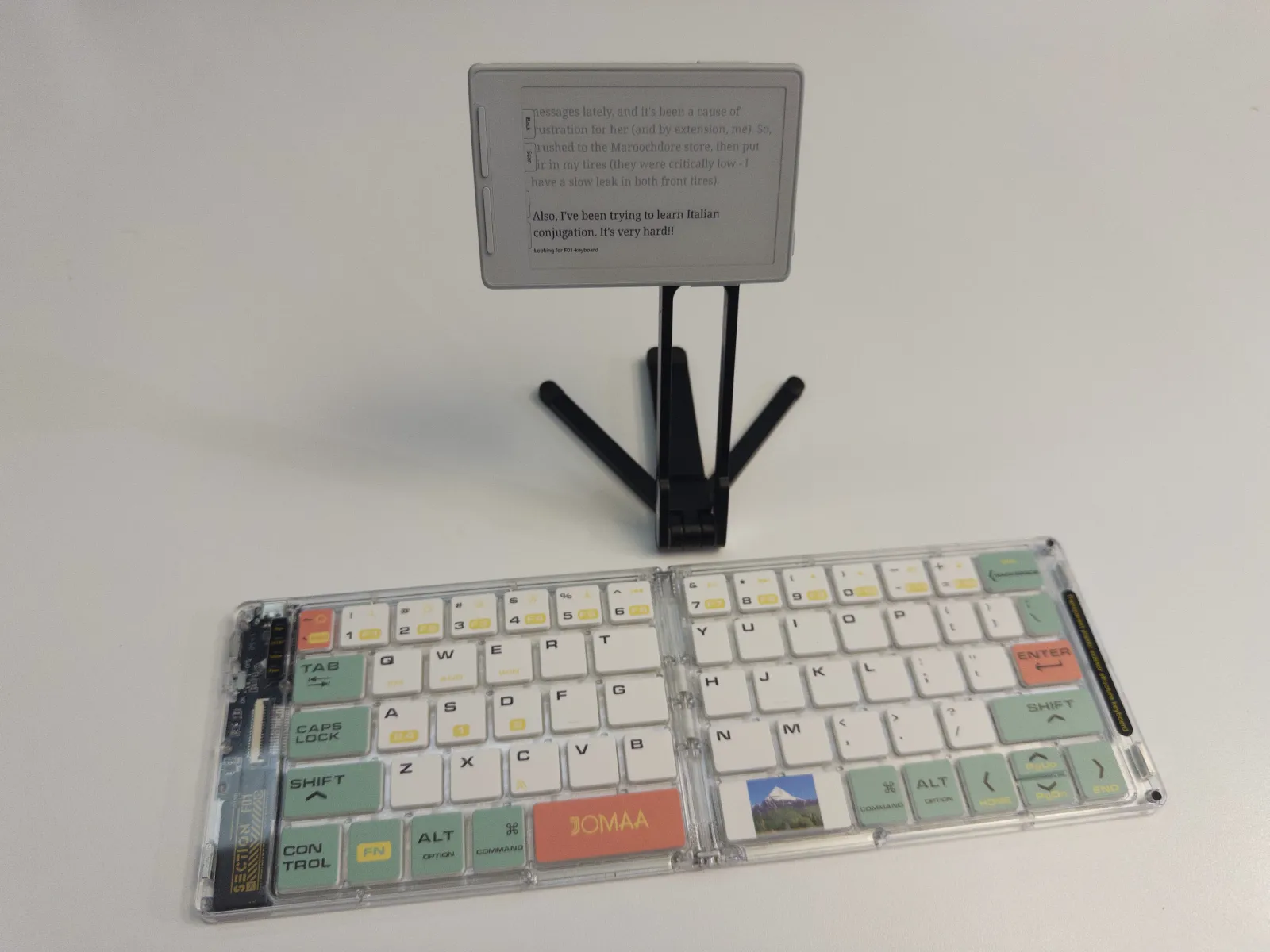
I'm writing this blog post using a JOMAA F01 folding keyboard with an Xteink X3. It's a brilliant, cheap, no fuss writer deck.

A simple, cheap, no fuss writer deck.

A simple, cheap, no fuss writer deck.

A few notes on each component:

The JOMAA keyboard was such a great find. The design is a little out there, but I love it. You can get it in black, if the Y2K aesthetic bothers you. The most important part is that it's BTLE (AKA BLE) – the only kind of bluetooth that the X3 or X4 will pair with.

It's also a folding keyboard, so it packs away into a neat little package when you're done. This means that some of the keys take a little getting used to. The Y key, for example, is much smaller than the others. It took me about two days of typing before I was used to it, but now I don't even notice. The hinge works really nicely, and when layed flat, the product feels well made. When folded, the hinge tolerances feel a little loose.

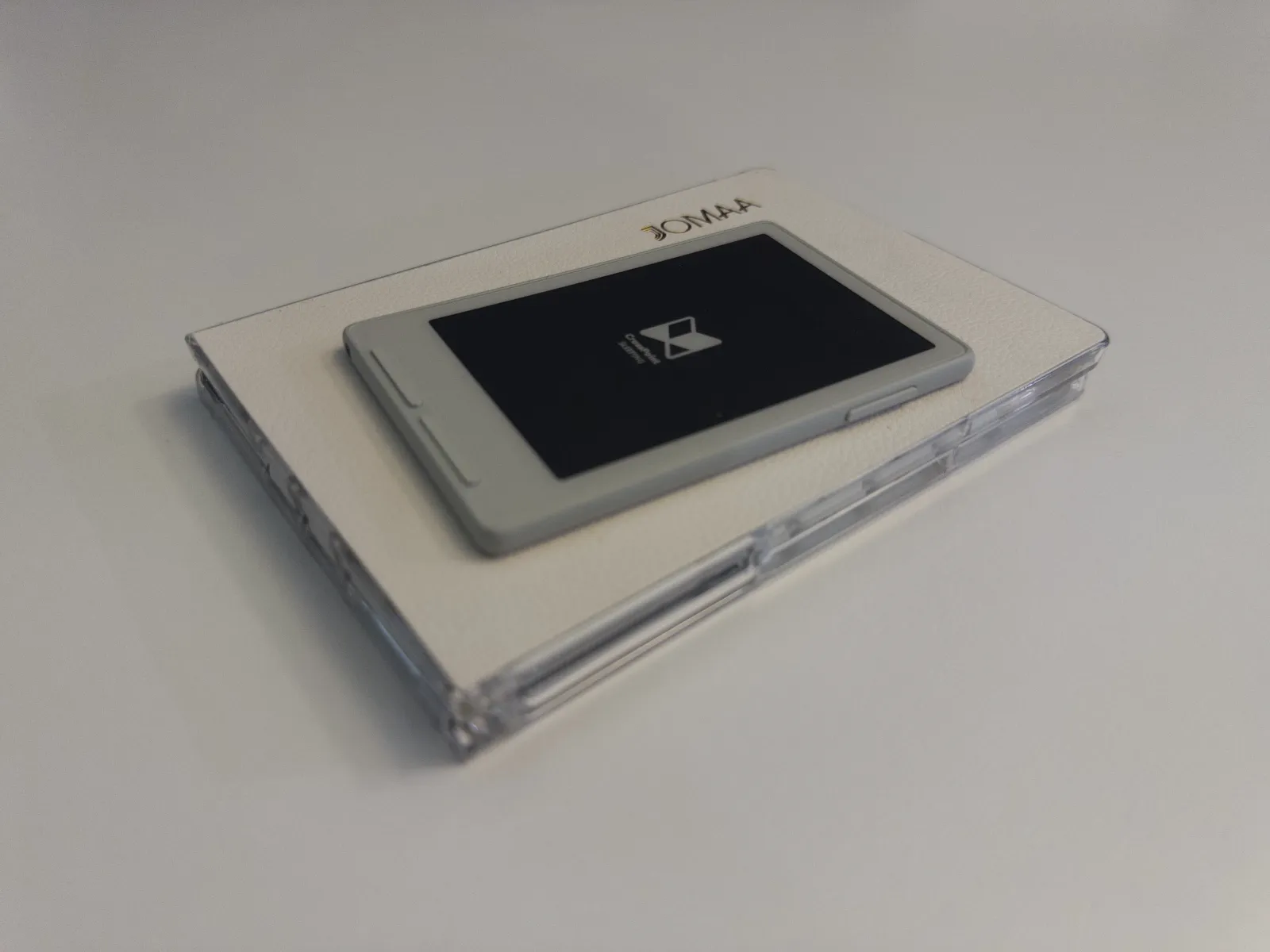
My writer deck, folded away.

My writer deck, folded away.

The best feature is that the back plate is ferromagnetic. That means that X3 magnetically snaps to it when folded, keeping the whole setup in one tidy little package.

On the X3. It doesn't include any typing software out of the box. Nor could I find any custom firmware online that supports my writer deck use case. There is a firmware package for the X4, but I reached out to the author and they have no plans to port to the X3. So, I built the writing firmware myself.

Well, I vibe coded it, which isn't quite the same thing. I'm not willing to share the project for that reason – it would be irresponsible to release code that I don't understand. But if I can vibe code up a solution in about 3 hours, I'm sure you can too. The hardest part was the bluetooth connection to the keyboard.

The X3 display is eink, so the update interval doesn't quite keep up with my typing speed. It's not that I lose any letters, only that refreshes slowly as I type, in blocks of around 6 letters at a time, as the display catches up with what I'm typing. Your milage may vary, depending on your typing speed. That might seem like a downer, but in reality, I'm not often looking at the screen while I type, it's more there for me to look at if I think I've made a typo, or I need to read back a little way. It's not perfect, but it's fine.

Overall, I'm really happy with how things turned out. I'm considering it a finished project for now (albeit with a short feature list for my firmware project which I'll likely never get around to).

NOtifications

I turned off all notifications on my phone.

A position of privilege perhaps. But also, something I’ve willshaped. The world puts up roadblocks, doesn’t make it easy. Determination and a little chutzpah required.

I don’t get immediately notified of messages, emails, sales, events, or anything else. Not a ping, not a red dot, not a single bubble in Notification Centre. It can all be turned off in Settings.

The reality is, very few things in life need my immediate attention. If I’m planning my day responsibly, and able to hold in my mind a short to-do list, I really don’t need the reminder.

I still use technology, in many places, in a variety of ways (not least for collaboration), but my synchronous, attenzione subito is simply not required.

In just a week, I’ve noticed huge gains in my short term working memory and recall. Those tip-of-the-tongue moments still happen, but they’re resolved more frequently and with increasing fluency. I’m much better now at creating a mental plan and checking it off over the course of the day. No more wandering into the kitchen and wondering why I was even there in the first place. Less sleep-walking through the day.

When my laptop opens, I'm ready to work, chat, respond.

The rest of the time, my phone leaves me be.

Essere

One of the major mental models that informs my sense of place in the world is Input and Output. What Input am I giving my brain, in terms of social media, news, books, film, television, passive-exposure? What creative Outputs do I put into the world? Is my information diet balanced well between the two modes?

I’ve amended this in the past week. Sometimes, Input. Sometimes, Output. And sometimes, …

Just …

Quiet. Nothing. Exist. Notice.

Be.